
Email on your domain. Forwarding is free.
Every domain on phas DNS can forward addresses like [email protected] to the inbox you already use, at no cost. Need mailboxes you can send from? Use any provider. We recommend a few below.
$0
forwarding on every phas DNS zone
Any inbox
Gmail, Outlook, iCloud
Any provider
keep yours or pick one
4 picks
providers we'd use ourselves
Included: email forwarding
Most small businesses don't need another mailbox. They need info@ to land somewhere they already look.
-
Any address.
info@,hello@, one per person. - To any inbox. Each address can go to a different person.
- One click to start. Turn it on from your domain's DNS page and add an address. A new destination gets one confirmation email first.
- Nothing to maintain. No mailbox, no storage, no password.
Forwarding only receives; you reply from the inbox it lands in. It needs your domain's DNS at phas. A domain can't use forwarding and a mailbox provider at the same time.
[email protected]
[email protected]
Forwarding works on any domain whose DNS is at phas.
Search a domainAlready have email? Keep it.
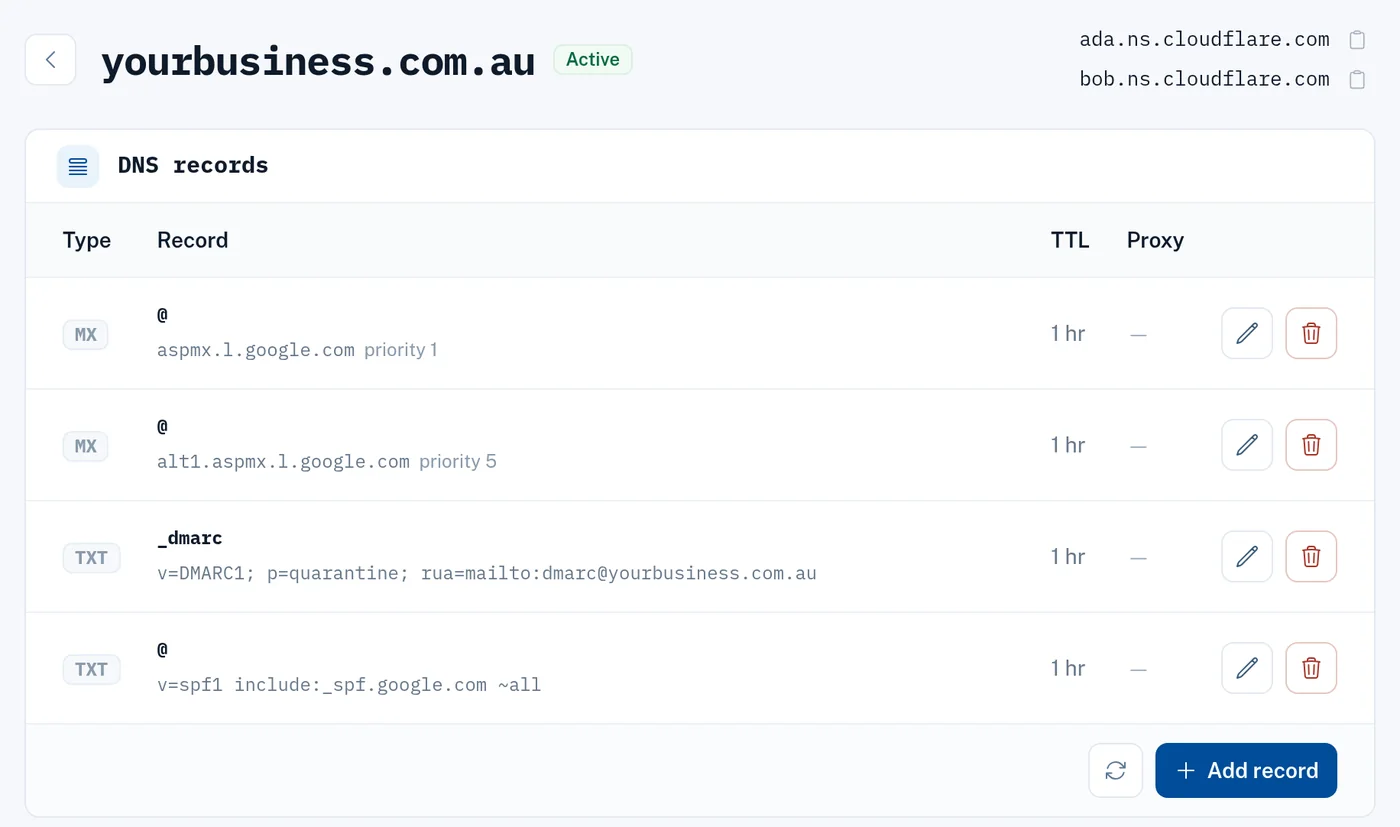
phas works with any email provider. Moving your site or domain here doesn't touch your mailboxes. If you switch your DNS to phas, we import your existing records. Check the mail ones before you switch, or ask us to.
- Microsoft 365, Google Workspace or anything else keeps working.
- Your provider bills you for mailboxes.
- Switching provider later is a DNS change.
Mailboxes on your old web host don't move with the site. Mention them in your migration ticket and we'll help you move them to a provider first.
Need mailboxes? Our shortlist.
To send as you@yourdomain you need a mailbox provider. Any provider works; these are the ones we'd pick.
Not sure? Pick the one that matches the apps you already use, or ask us.
Connect a provider in three steps
Sign up with the provider
They bill you and support your mailboxes.
Add their records
Paste their MX, SPF and DKIM records into your domain's DNS page; each one is checked when you save. Rather we did it? Open a ticket.
Mail arrives
Usually within the hour. Your website isn't affected.
Already have a domain here? Forwarding and the DNS editor are both on the zone's page.
Open DNSMail sent by your website or app? Receipts, resets and alerts are a different job — that's Transactional Email.
How it worksCommon questions
Is forwarding really free?
Yes, with every domain on phas DNS. No per-address charge.
Can I send from a forwarded address?
No. Forwarding only receives. To send as you@yourdomain, use a mailbox provider.
I already use Microsoft 365 or Google. Do I need to change anything?
No. Keep it.
Can I use forwarding and mailboxes on the same domain?
No. Mail goes to one place. Most providers include aliases, so info@ can sit alongside personal mailboxes. The DNS page won't turn forwarding on while a provider's records are in place.
Why doesn't phas sell mailboxes?
These providers do it better than a web host can, and buying direct means the account is yours.
What about website contact forms and receipts?
Your site needs an email sending service for those: your mailbox provider's SMTP, or our Transactional Email add-on. On Microsoft 365 or Google Workspace, use Transactional Email. The server doesn't send mail itself. Send email from your website.